Lead generation for recruiters and HR teams
Recruiter lead generation: collect candidates at the fair and clients in the inbox
Recruiters have two pipelines. One is candidates: people at a career fair, on LinkedIn or replying to an outreach email. The other, for agencies, is clients: hiring managers with a role to fill.
Both leak in the same place. A good conversation ends with “send me your CV” or “let's talk next week”, and then nothing arrives. This guide gives each conversation a place to land.
Free to start: one card and one lead kit. No payment details needed.
- Sample lead 1 · “Send me your CV”Event badge
- Sample lead 2 · “Send me your CV”LinkedIn banner + link
- Sample lead 3 · “Send me your CV”Email signature
- Ericsson

- CIBC
- feeltop AG
- Sabarot

- Taylor Apartment Locator
- Archer Investors
- Nietz Sounds
In short
- Wear a badge at fairs that candidates scan to save you and send their details.
- Put your card and open roles behind your LinkedIn profile and email signature.
- Tell candidates what you will do with their details at the moment you collect them.
- Acknowledge every candidate quickly, even when the answer is not yet.
Where leads start for recruiters and HR teams
A lead rarely begins on a form. It begins in one of a few everyday moments, and each of them needs a way for the other person to keep your details and leave theirs.
The career fair
Students queue at your stand for two minutes each. Paper CVs get lost and nobody remembers who was who. A badge they scan gives you a typed name and number for each conversation.
The LinkedIn visit
Candidates check the recruiter before replying to a message. A banner and a Featured link that show open roles turn a cautious look into a reply.
The outreach email
Most recruiting email is ignored by the recipient and forwarded to a friend who is looking. A signature with “See open roles” gives the friend somewhere to go.
The hiring manager meeting
Agency recruiters meet potential clients at industry events and on intro calls. The same card, with a different offer, collects the brief.
One pipeline: card, capture, contacts, follow-up
The four parts below are separate tools in most setups. Here they are one chain, and each link passes the next one what it needs.
- 1
Your digital card holds your details, your proof line and one clear offer: “Send me your CV”.
- 2
A visitor shares name and phone to get the offer. Email is optional. No app to install.
- 3
The request lands in Leads, tagged with the placement that brought it.
- 4
Call, message, WhatsApp or email from the contact page, then set a status.
The digital business card for recruiters and HR teams
Candidates are wary of recruiters they cannot place. Your card should show a real person at a real company, the kinds of roles you hire for and an easy way to respond.
If you hire for an employer, lead with the employer brand. If you are an agency, lead with your specialism.
More on the card itself: NexaLink Card · cards by profession
What to put on it
- Name, title and the company or agency you recruit for
- The roles, levels or sectors you cover
- A link to your open roles page
- The offer button: see open roles or send your CV
- A proof line you can back up, such as years in the sector
Lead capture: give people a reason to share details
For candidates, the offer is the next step itself. “Send me your CV” and “See open roles” are both things they already want to do.
The form collects a name and phone number, then opens the link you set, such as your application page. Say plainly what happens next and how long you keep their details.
In the lead kit the starting offer for recruiters and HR teams is “Send me your CV”. You add the link it opens. A visitor who wants it shares name and phone, the link opens right away, and the request appears in your Leads.
Offers that work in this trade
- A link to current open roles
- A one-page guide to your interview process
- For clients: a salary or hiring-time snapshot for their role
- For clients: a short call to take the brief
The button can say “See open roles” instead and open a link you choose, such as your calendar.
The lead kit: where to place your card, and what each placement brings
The lead kit turns one card into ten ready-made placements. Every link and QR carries its own source, so each lead shows where it came from. These are the placements that fit recruiters and HR teams best.
On your lanyard at career fairs and campus drives
Add the event name and print the badge. Candidates scan it, save your contact and leave their details in one step, so the queue keeps moving.
Shows in Leads as: Event badge
LinkedIn banner, Featured and Contact info
Candidates look you up before replying. The banner and the Featured link open your card with your open roles.
Shows in Leads as: LinkedIn banner + link
Under every outreach and scheduling email
The signature carries “See open roles” and your card. A candidate who is not interested forwards it to someone who is.
Shows in Leads as: Email signature
A table tent on the stand or the interview-room desk
A second scan point for busy stands. Candidates who do not reach you still leave their details.
Shows in Leads as: QR kit
All ten placements in the kit
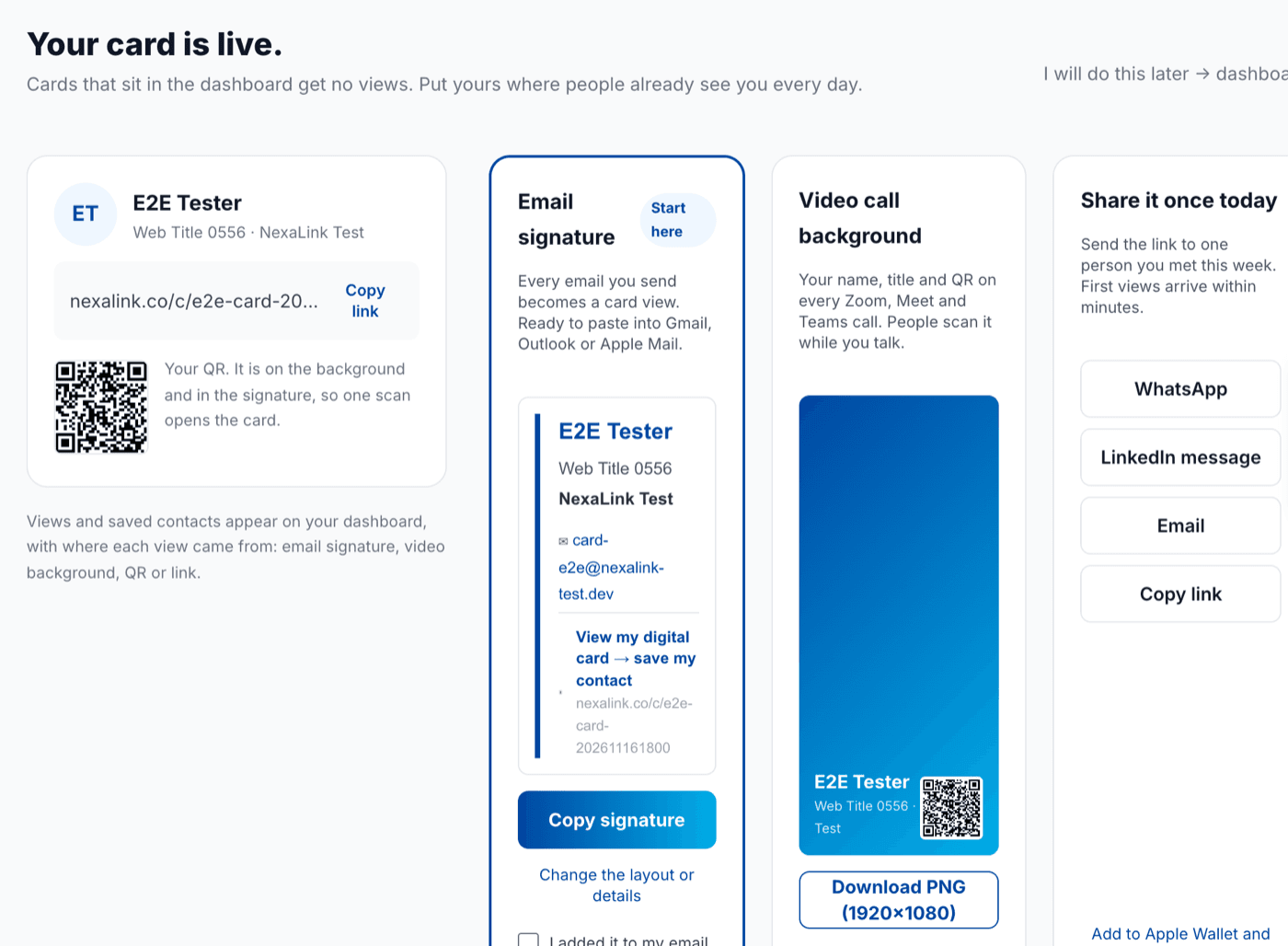
- Email signature · Gmail · Outlook · Apple Mail
- Video-call background · Zoom · Meet · Teams
- QR kit · Table tent · Sticker · Desk stand
- LinkedIn banner + link · Banner · Featured · Contact info
- WhatsApp Business · Profile · Status · Quick reply
- Instagram bio + story · Bio link · Story · Highlight
- Wallet pass · Apple Wallet · Google Wallet
- Printable business card · QR on the back
- Event badge · Conferences · Meetups · Campus drives
- Google Business Profile · Website button · Weekly post
The email signature
Recruiters send more first-contact email than almost anyone. A signature that shows a real person at a real company gives the reader a reason to trust the message.
Use the banner line for what you are hiring for right now, and change it when the roles change. The link and QR stay the same.
Try it without an account: free email signature generator
EC | Emily Carter Talent Partner · Hirewell +1 (415) 555-0134 · emily@hirewell.co · hirewell.co 4.7 ★ · candidate rating Placed 400+ engineers at 60 product companies | ||
| |||
| We're hiring: 12 open roles in Austin. → | |||
A landing page linked from your card
Candidates like to see who they would be dealing with. A small landing page lets you describe how you work and what you are hiring for, without sending them to a generic careers site.
Use Home for current roles and how to apply, About for your sector experience and process, and Contact for the form. Agencies can use the same page for a client-facing pitch on a second card.
What it is today: a small site with Home, About and Contact pages and a lead form, linked from your card, with visit and lead counts for you as the owner. It is an add-on for paid plans: anyone on a paid plan can build a draft, and publishing needs the add-on on the account.
Follow-up: what to do with each lead
Candidates judge an employer by how the recruiter treats them. A fast acknowledgement costs little and is remembered.
Sort new leads the same evening into people to progress now and people to keep warm. Set the status on each so nobody is left unanswered.
In NexaLink each lead has a contact page with one-tap Message, WhatsApp, Call and Email, a notes timeline and a status (new, active, nurturing, dormant, lost). If you use Claude or ChatGPT, you can connect them to your contacts over MCP and ask for a draft.
Related: a lead follow-up system · follow-up email generator · MCP access
- Same day
Thank every candidate who scanned. Ask for their CV and say when they will hear back.
- Within 3 days
Shortlisted candidates get a screening call. Everyone else gets an honest note about timing.
- Week 2
Close the loop. Tell people who are not progressing, and ask whether they want to hear about future roles.
- When a role opens
Contact the people who said yes, and remove details you no longer have a reason to keep.
A worked example: one week of leads
Illustration, not a result
Imagine an in-house recruiter with a printed badge for a campus fair, a LinkedIn Featured link and the signature in place. The person and the leads below are made up to show how the pieces fit. Your numbers will differ.
What the week shows: the fair gave volume and the forward gave the warmest lead. The badge tag shows the leads came from an event. The note written on the day shows which ones to call first.
Fair doubts
We already use an applicant tracking system.
Keep it as the system of record. The card collects first contact from people who have not applied yet. Move the ones you want to progress into your system; on paid plans you can export contacts.
The fair has its own check-in app.
Use both. The fair's app records attendance for the organiser. Your badge records who actually spoke to you, with your own notes.
Can the visitor upload a CV on the card?
Not on the card itself. The form collects a name and phone number, with email optional, then opens the link you set. Point that link at your application or upload page, or ask for the CV in your first reply.
Rules worth checking
Candidate details are personal data. The UK Information Commissioner's Office has published draft recruitment guidance which says you must provide privacy information at the time you collect a candidate's details, must not collect more than you need, and should not keep information just in case.
The same draft says consent is unlikely to be an appropriate lawful basis at most stages of recruitment, and that agencies will most likely rely on legitimate interests. It is still marked as a draft, so check the current version, and check the rules where you hire.
This is general information, not legal advice. Rules differ by state and country, so check with your regulator or firm.
What is free and what is paid
- 1 digital card, 3 templates
- Up to 25 contacts
- One lead kit on your main card: the placements, your proof line and offer capture
- Views and leads for the last 30 days, as totals
- Your card carries NexaLink branding
- Up to 5 cards, unlimited contacts
- Lead capture form and NFC sharing
- Apple and Google Wallet passes
- Your own domain and custom link
- No NexaLink branding on your card
- See who viewed your card, 90 days of analytics
- Import and export contacts
- A lead kit on every card, with views and leads per placement
- Minimum 3 users
- Everything in Pro for every user
- Shared team directory and dashboard
- One brand template for every card
- CSV export and priority support
See all Card plans → · how pricing compares · NexaLink and other card apps
What customers say
I find NexaLink great for making lead capture easier for my business. I like their fast and professional service, especially the quick fixes to problems. Everything is good, and the initial setup was very easy.
Nexalink brings a genuinely innovative approach to digital business cards by combining networking with AI. What impressed me most is its MCP integration, which makes syncing and leveraging contact data across AI tools much more seamless and efficient. … They took the time to work with me personally to tailor the experience to my needs.
How to set it up
- 1Create your digital card
Add your name, role, contact details and your proof line. One card is free.
- 2Set the offer
Pick what a visitor gets for sharing name and phone. The preset for recruiters and HR teams is “Send me your CV”; add the link it should open.
- 3Put the first placement live
On your lanyard at career fairs and campus drives. Add the event name and print the badge. Candidates scan it, save your contact and leave their details in one step, so the queue keeps moving.
- 4Follow up from Leads
Each request appears in Leads with the placement that brought it. Call, message or email from the contact page and set its status.
Questions recruiters and HR teams ask
Are digital business cards useful at university career fairs?
Yes, because they solve the queue. Students scan a badge or a table tent, save your contact and leave their details in seconds, and you leave with a typed list in place of a stack of paper.
Do candidates need to download an app?
No. The card opens in the phone's browser when they scan the QR or tap the link.
How quickly should a recruiter follow up after a career fair?
The same day for a thank-you and a request for the CV. Screening calls for the strongest candidates within a few days, while they are still comparing employers.
Can I tell which event a candidate came from?
The tag shows the placement, for example Event badge. The badge itself carries the event name you add. For your own records, add the event as a note on the contact when you sort the day's leads.
Can the whole recruiting team use it?
Yes. On the Team plan every recruiter has a card with one brand template, and there is a shared directory and dashboard.
Can an agency use this for client development too?
Yes. Use a second card with a client-facing offer, such as a call to take a brief. A paid plan lets you keep more than one card and a lead kit on each.
Build the recruiting pipeline once, then let it run
Create your card, set “Send me your CV”, and put the first placement live. It takes a few minutes and it is free to start.
Build my recruiting lead kitKeep reading
- The recruiting lead kit: assets and sample signature
- How a digital business card gets you leads
- How recruiters manage a candidate pipeline
- Digital business cards for recruitment consultants
- Digital cards for job fairs
- Digital cards for campus recruiting
- Event badge scanner
Reviewed November 25, 2026. Plans and prices on this page are read from the same source as the pricing page.