NexaLink

How a digital business card gets you leads

Most digital cards are shared once and forgotten. The ones that bring leads are seen every day: in the footer of your emails and behind you on video calls. NexaLink makes both for you and shows you which one worked.

From card to leads

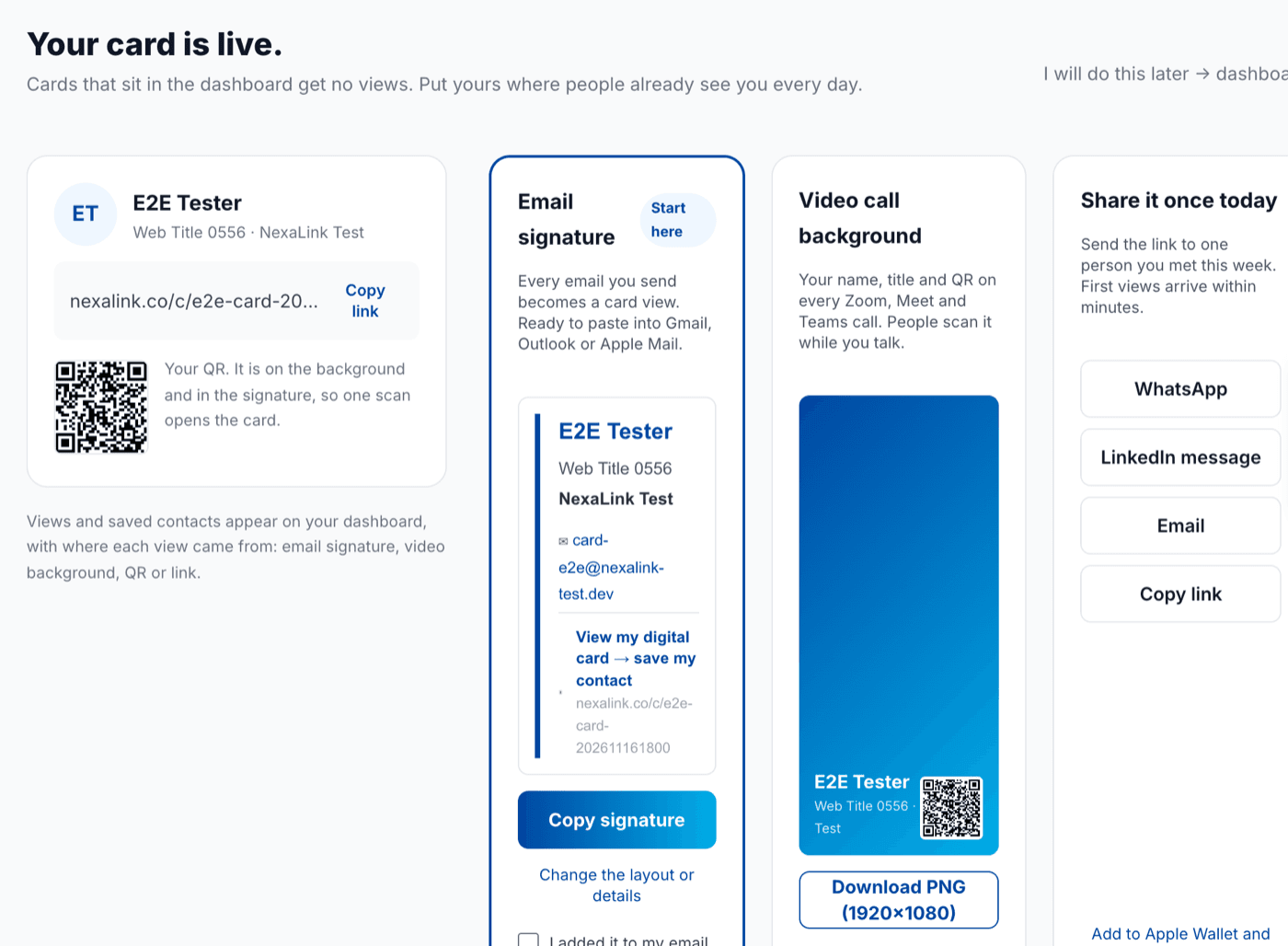
A card that sits in a dashboard gets no views. Put it where people already see you.

NexaLink puts your card in the two places a professional is seen every day: the footer of every email and the background of every video call. Both are made for you the moment your card exists.

NexaLink: Your card is live — copy the email signature, download the video call background, share with one person
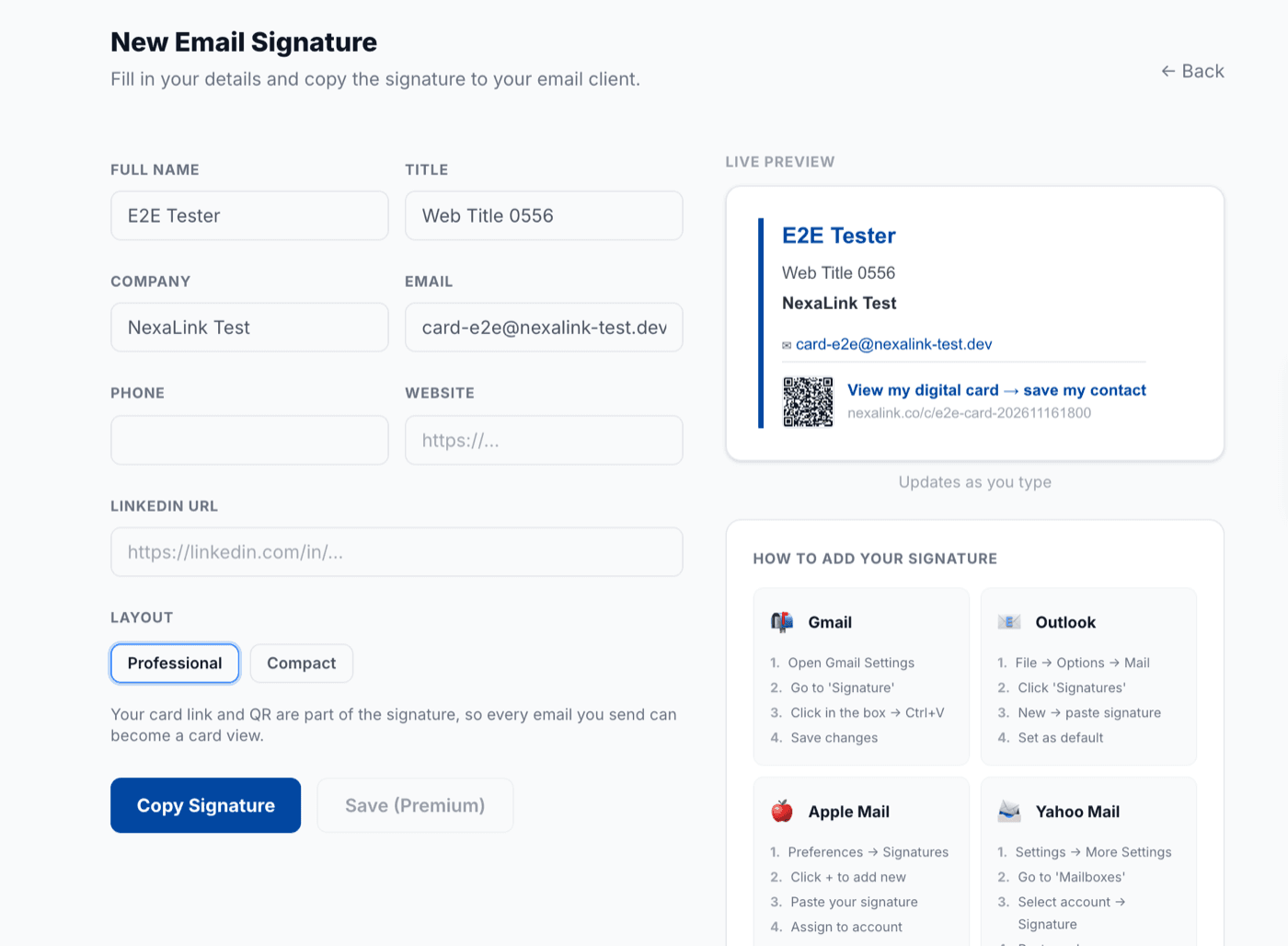
NexaLink email signature builder: live preview with the card link and QR code
1

Your card is made, so is its email signature

The moment you save your card, NexaLink builds an email signature with your details, your card link and a small QR. Copy once, paste into Gmail, Outlook or Apple Mail. From then on every email you send carries your card.
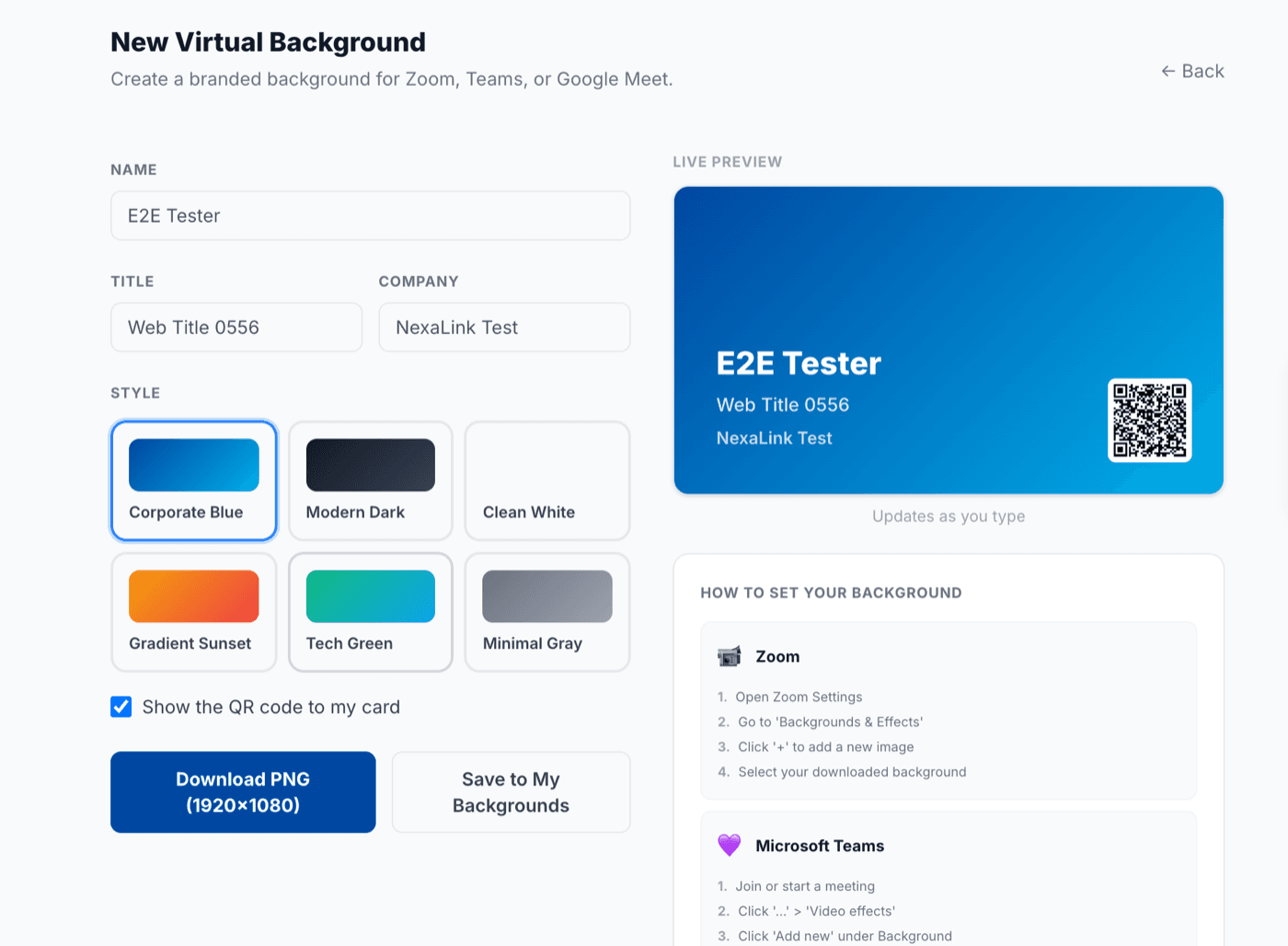
NexaLink virtual background builder with the card QR code in the corner
2

Your video-call background carries your QR

Download a 1920×1080 background with your name, title and card QR. On Zoom, Meet and Teams the people you talk to can scan it while you speak, and land on your card.

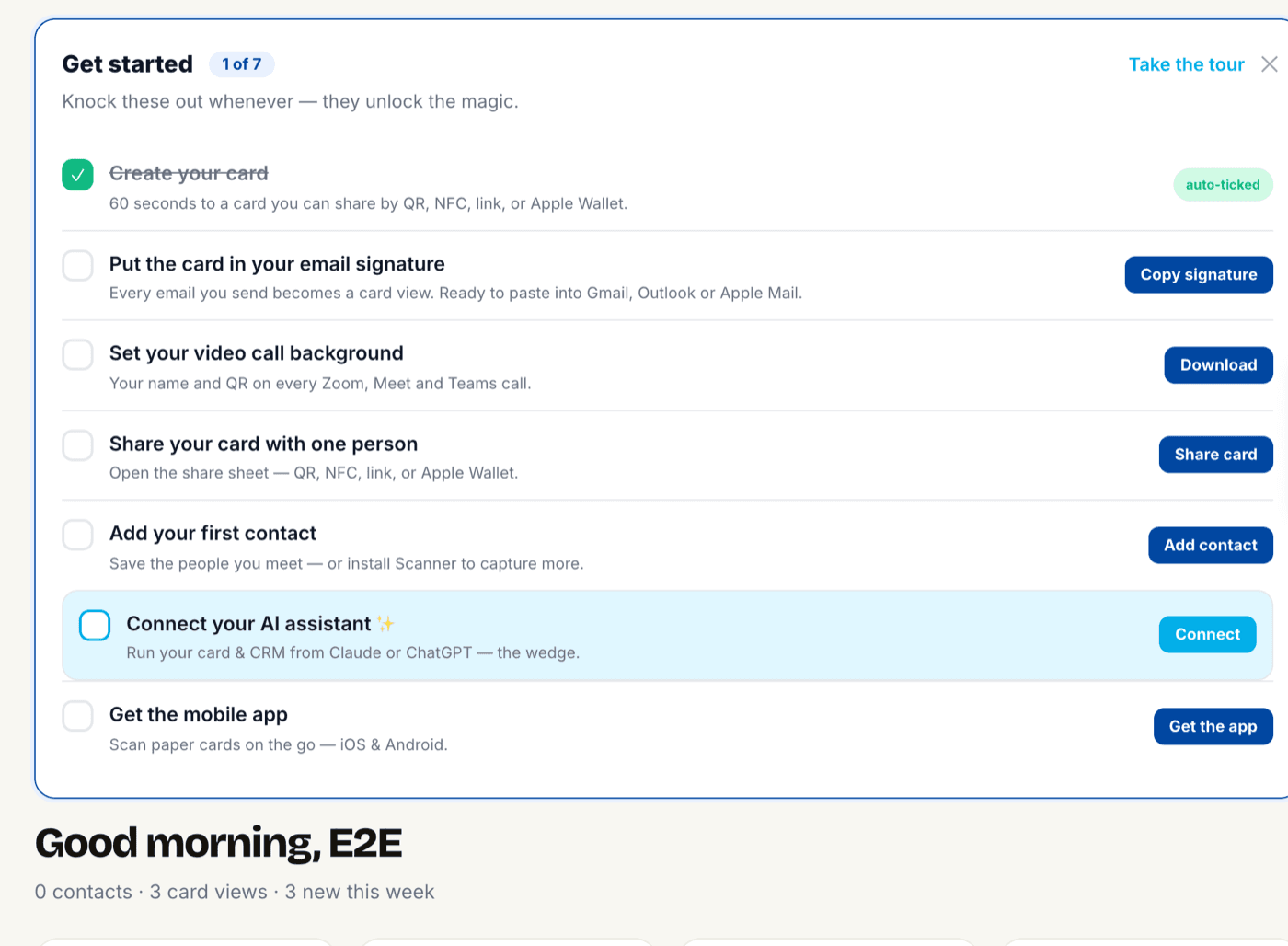
NexaLink dashboard checklist: put the card in your email signature, set your video call background, share your card
3

Every view is a lead you can see

Each link and QR is tagged, so your dashboard shows where a view came from: email signature, video background, QR or a shared link. When a visitor taps Save contact or sends their details back, they appear in your contacts with that source.

Questions

Do I have to build the signature myself?

No. The signature is generated when you save your card, with your name, title, contact details, card link and QR. You copy it once and paste it into your mail client. Editing the card updates the signature.

Will it paste as a proper signature or as code?

As a formatted signature. The copy button puts rich text on the clipboard, so Gmail, Outlook and Apple Mail show the layout, not HTML.

How do I know a view came from my signature?

The link in the signature and the QR on the background are tagged with their source. Your dashboard shows views by source: email signature, video background, QR, or a shared link.

Is this free?

Copying your signature and downloading your background are free on every plan. Saving many custom signatures to a library is part of Premium.

Does it work on the phone?

Yes. The NexaLink Card app for iPhone and Android has the same two actions in its share sheet: copy the signature, save the background to Photos.

Make your card, then put it to work

Signature and background are ready the moment you save. Free to start.