Lead generation for lawyers and consultants
Lead generation for lawyers and consultants, from the first email to a booked consultation
Lawyers and consultants are hired on trust, and trust travels by referral. A former client mentions you, a peer forwards your email, someone you met at a conference remembers your name three months later.
This guide makes sure each of those moments has somewhere to go: a card with your credentials, a useful document to ask for and a quiet way to book a consultation.
Free to start: one card and one lead kit. No payment details needed.
- Sample lead 1 · “Get the startup legal checklist”Email signature
- Sample lead 2 · “Get the startup legal checklist”LinkedIn banner + link
- Sample lead 3 · “Get the startup legal checklist”Printable business card
- Ericsson

- CIBC

- feeltop AG

- Sabarot

- Taylor Apartment Locator

- Archer Investors
- Nietz Sounds

In short
- Let your email signature do intake: credentials, one offer and a booking button.
- Offer a practical document, such as a checklist, in place of a sales pitch.
- Hand out printed cards with a QR on the back at events, and scan the cards you receive.
- Follow up slowly and personally. Record who referred each person.
Where leads start for lawyers and consultants
A lead rarely begins on a form. It begins in one of a few everyday moments, and each of them needs a way for the other person to keep your details and leave theirs.
The forwarded email
A client forwards your advice to a founder friend with “talk to her”. Your signature is the introduction. If it holds your credentials and a way to book, the friend does not need to ask the client for your number.
The conference or bar event
You swap paper cards with people who will not type them in. A QR on the back of yours saves you to their phone in one scan, and the app scans theirs into your contacts.
The profile check
Before a first call, a prospect reads your LinkedIn profile. A link in the Featured section gives them a checklist to download and you a name to call.
The peer referral
Another firm does not handle your area and wants to send a matter your way. A card they can forward makes the handover simple for them and traceable for you.
One pipeline: card, capture, contacts, follow-up
The four parts below are separate tools in most setups. Here they are one chain, and each link passes the next one what it needs.
- 1
Your digital card holds your details, your bar admission and one clear offer: “Get the startup legal checklist”.
- 2
A visitor shares name and phone to get the offer. Email is optional. No app to install.
- 3
The request lands in Leads, tagged with the placement that brought it.
- 4
Call, message, WhatsApp or email from the contact page, then set a status.
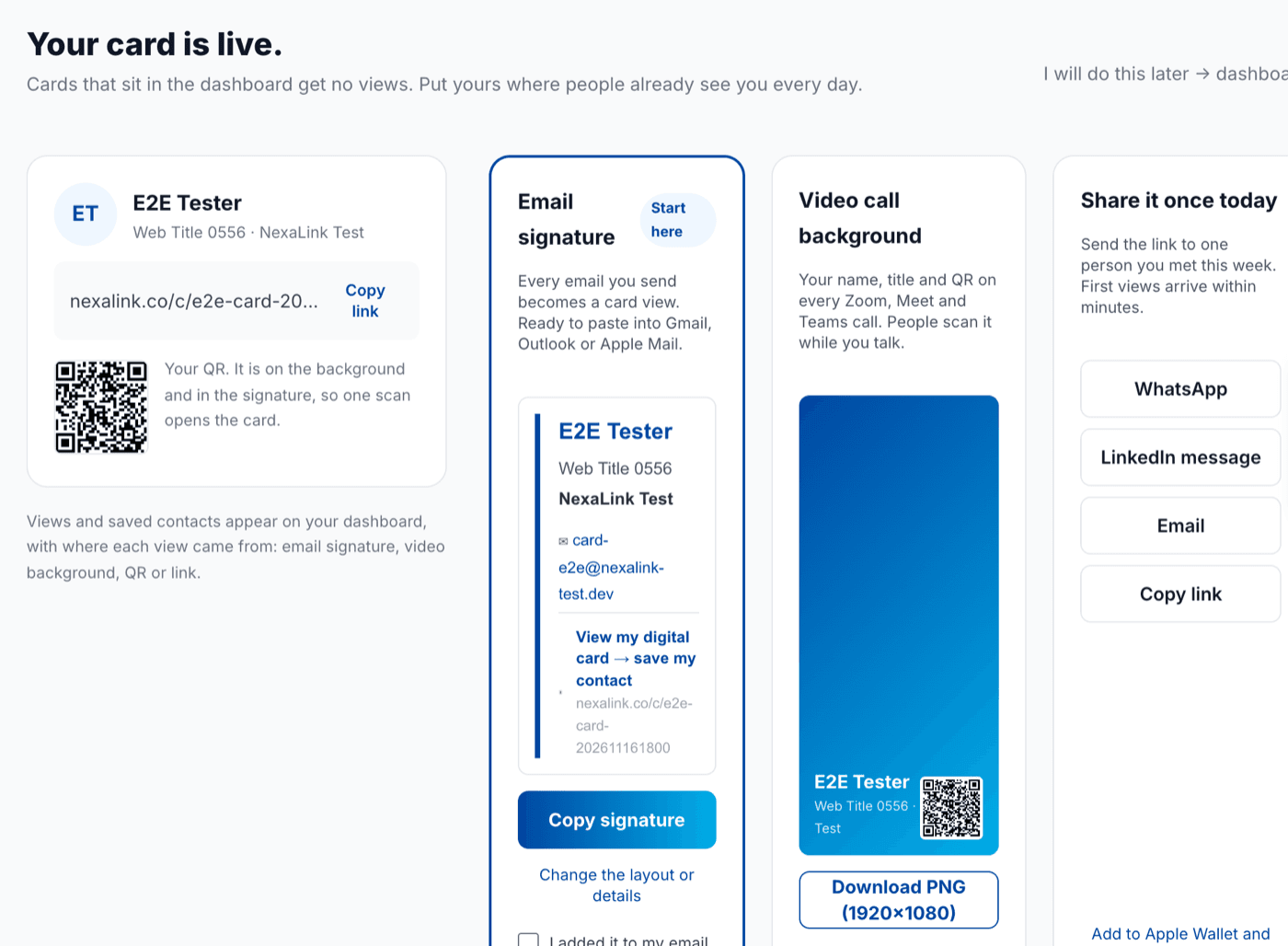
The digital business card for lawyers and consultants
A professional's card is read by careful people. It should be accurate, restrained and complete: who you are, where you are admitted or qualified, what you do and how to reach you.
Avoid superlatives and outcome claims. In legal practice they can breach advertising rules, and in consulting they simply read as noise.
More on the card itself: NexaLink Card · cards by profession
What to put on it
- Name, title, firm and office address
- Bar admission and jurisdiction, or your professional accreditation
- Practice areas or services, stated plainly
- The offer button: a checklist or a consultation
- Your firm's confidentiality or disclaimer line
Lead capture: give people a reason to share details
People with a legal or business problem are cautious about making first contact. A document they can read alone lowers the barrier.
Choose something general and useful. It should help the reader understand their situation, and it should make clear that it is information, not advice on their matter.
In the lead kit the starting offer for lawyers and consultants is “Get the startup legal checklist”. You add the link it opens. A visitor who wants it shares name and phone, the link opens right away, and the request appears in your Leads.
Offers that work in this trade
- A startup legal checklist or a contract review checklist
- A short guide to what a first consultation covers
- A scoping worksheet for a consulting engagement
- A consultation at a time that suits them
The button can say “Book a consultation” instead and open a link you choose, such as your calendar.
The lead kit: where to place your card, and what each placement brings
The lead kit turns one card into ten ready-made placements. Every link and QR carries its own source, so each lead shows where it came from. These are the placements that fit lawyers and consultants best.
Under every email you send
The signature shows your admission or credentials, a “Book a consultation” button and your notice. When a client forwards your email, the introduction arrives ready to act on.
Shows in Leads as: Email signature
LinkedIn banner, Featured and Contact info
Prospects and referrers read your profile before they call. The Featured link opens your card with the checklist offer.
Shows in Leads as: LinkedIn banner + link
A printed card with a QR on the back
At conferences and bar events, paper is still the custom. The QR saves you to the other person's phone, so your card is not lost in a jacket pocket.
Shows in Leads as: Printable business card
Behind you on client and panel video calls
On webinars and multi-party calls, attendees you have not met can scan your QR and save your details.
Shows in Leads as: Video-call background
All ten placements in the kit
- Email signature · Gmail · Outlook · Apple Mail
- Video-call background · Zoom · Meet · Teams
- QR kit · Table tent · Sticker · Desk stand
- LinkedIn banner + link · Banner · Featured · Contact info
- WhatsApp Business · Profile · Status · Quick reply
- Instagram bio + story · Bio link · Story · Highlight
- Wallet pass · Apple Wallet · Google Wallet
- Printable business card · QR on the back
- Event badge · Conferences · Meetups · Campus drives
- Google Business Profile · Website button · Weekly post
The email signature
For a lawyer or consultant, email is the practice. The signature is seen more often than your website, and by exactly the people who might refer you.
The legal and consulting signature has a field for your bar admission or accreditation and starts with a confidentiality notice you can edit. Keep the content factual: advertising rules such as California's prohibit false or misleading communications about a lawyer's services.
The legal and consulting preset starts with this notice, which you can edit or remove: “This email and any attachments are confidential and may be legally privileged.”
Try it without an account: free email signature generator
Emily Carter Partner Carter & Reyes LLP +1 (415) 555-0134 · emily@carterreyes.law · carterreyes.law Admitted to the State Bar of California · SBN 287654 | Scan to save my contact |
| This email and any attachments are confidential and may be legally privileged. | |
A landing page linked from your card
A referred prospect usually wants to confirm three things before booking: that you handle their kind of matter, that you are qualified, and how the first conversation works.
Use Home for the matters or projects you take on, About for your background and admissions, and Contact for the enquiry form. Ask enquirers not to send confidential details through the form.
What it is today: a small site with Home, About and Contact pages and a lead form, linked from your card, with visit and lead counts for you as the owner. It is an add-on for paid plans: anyone on a paid plan can build a draft, and publishing needs the add-on on the account.
Follow-up: what to do with each lead
Follow-up here is slow and personal. Nobody hires a lawyer or a consultant because of a fourth reminder. They hire the person who replied thoughtfully and then stayed in view.
Before discussing anything specific with a legal enquiry, run your usual conflict check. Use the notes on the contact for who referred them and what they asked about in general terms, not for confidential facts.
In NexaLink each lead has a contact page with one-tap Message, WhatsApp, Call and Email, a notes timeline and a status (new, active, nurturing, dormant, lost). If you use Claude or ChatGPT, you can connect them to your contacts over MCP and ask for a draft.
Related: a lead follow-up system · follow-up email generator · MCP access
- Within a day
Acknowledge the request, send the checklist again and offer two times for a first conversation.
- Day 3 to 5
If they were referred, thank the referrer. A short note keeps the next referral coming.
- Week 2
One helpful follow-up: a relevant article or a plain answer to a question the checklist usually raises.
- Quarterly
Set the status to nurturing. Share a brief update when the law or the market in their area changes.
A worked example: one week of leads
Illustration, not a result
Imagine a partner at a small corporate firm who has set the signature, added the Featured link and carries printed cards with a QR. The person and the leads below are made up to show how the pieces fit. Your numbers will differ.
What the week shows: the consultation came from a client's forward and one prompt reply. The other contacts are worth more next quarter than this week, which is why they need a note and a status.
Fair doubts
Is this consistent with bar advertising rules?
The rules govern what you say, wherever you say it. Keep the card accurate, avoid claims of specialisation you are not certified for, and include whatever your jurisdiction requires. If in doubt, ask your bar's ethics line.
I do not want confidential details arriving through a form.
The form asks only for a name and phone number, with email optional. There is no free-text field for the matter, which keeps intake details in your own systems.
My practice runs on referrals, not marketing.
Then this is for you. Nothing here finds strangers. It makes it easier for the people who already recommend you to pass your details on, and for you to see that they did.
Rules worth checking
Lawyer advertising is regulated state by state. California's Rules of Professional Conduct say a lawyer shall not make a false or misleading communication about the lawyer or the lawyer's services, permit advertising through written, recorded or electronic means, and require such communications to include the name and address of at least one lawyer responsible for them.
Bar opinions have addressed card contents directly. A New York State Bar opinion confirms a lawyer's photograph may appear on a business card, and a New Hampshire opinion says practice areas may be listed if the statement is accurate and does not imply specialist status.
We found no bar opinion specifically about QR codes, so treat a QR as part of the card and apply the same rules to whatever it opens.
This is general information, not legal advice. Rules differ by state and country, so check with your regulator or firm.
What is free and what is paid
- 1 digital card, 3 templates
- Up to 25 contacts
- One lead kit on your main card: the placements, your bar admission and offer capture
- Views and leads for the last 30 days, as totals
- Your card carries NexaLink branding
- Up to 5 cards, unlimited contacts
- Lead capture form and NFC sharing
- Apple and Google Wallet passes
- Your own domain and custom link
- No NexaLink branding on your card
- See who viewed your card, 90 days of analytics
- Import and export contacts
- A lead kit on every card, with views and leads per placement
- Minimum 3 users
- Everything in Pro for every user
- Shared team directory and dashboard
- One brand template for every card
- CSV export and priority support
See all Card plans → · how pricing compares · NexaLink and other card apps
What customers say
I find NexaLink great for making lead capture easier for my business. I like their fast and professional service, especially the quick fixes to problems. Everything is good, and the initial setup was very easy.
Nexalink brings a genuinely innovative approach to digital business cards by combining networking with AI. What impressed me most is its MCP integration, which makes syncing and leveraging contact data across AI tools much more seamless and efficient. … They took the time to work with me personally to tailor the experience to my needs.
How to set it up
- 1Create your digital card
Add your name, role, contact details and your bar admission. One card is free.
- 2Set the offer
Pick what a visitor gets for sharing name and phone. The preset for lawyers and consultants is “Get the startup legal checklist”; add the link it should open.
- 3Put the first placement live
Under every email you send. The signature shows your admission or credentials, a “Book a consultation” button and your notice. When a client forwards your email, the introduction arrives ready to act on.
- 4Follow up from Leads
Each request appears in Leads with the placement that brought it. Call, message or email from the contact page and set its status.
Questions lawyers and consultants ask
Are digital business cards compliant with bar ethics rules?
A digital card is a communication about your services, so the same rules apply as to a paper card or a website: it must be accurate and not misleading, and it must carry what your jurisdiction requires. The format does not change the rules.
What should a law firm email signature include?
Your name, title, firm, office address, direct phone, and your admission or regulatory details where required. Add one clear action, such as booking a consultation, and your firm's standard notice.
Does every email need a confidentiality disclaimer?
Many firms add one as a matter of policy. Whether it is required depends on your jurisdiction and regulator. The legal preset starts with a notice you can edit or remove.
Can I have different cards for different practice areas?
Yes, on a paid plan you can keep several cards, for example one per practice area or one for speaking engagements.
What happens when I change firms?
The card belongs to your account. Update the firm, address and contact details and the same link and QR show the new information.
How do I keep track of who referred a client?
The source tag shows the placement, such as Email signature. Add the referrer's name as a note on the contact when the enquiry arrives, and thank them.
Build the legal and consulting pipeline once, then let it run
Create your card, set “Get the startup legal checklist”, and put the first placement live. It takes a few minutes and it is free to start.
Build my legal and consulting lead kitKeep reading
- The legal and consulting lead kit: assets and sample signature
- How a digital business card gets you leads
- How consultants track client relationships
- Digital business cards for corporate lawyers
- Digital business cards for management consultants
- How to design a professional email signature
Reviewed November 25, 2026. Plans and prices on this page are read from the same source as the pricing page.